
Most issues in real estate development don’t come from one big mistake.
They come from a series of errors, miscommunications, and discrepancies buried across project deliverables that get missed during manual checks.
That can look like a due diligence report with a missed assumption, a CIM with conflicting numbers, an RFP response with scope gaps, a drawing set that misses a code requirement, or a change order approved without the right backup.
Stepscale Reviews + Tracker are designed to prevent that.
Where teams use Reviews + Tracker
Common checks and reviews we see across development teams include:
Due diligence checks (pro forma assumptions, Phase 1 ESA, geotechnical reports)
CIM QA (risks, inconsistencies)
Bid leveling (scope coverage, exclusions, ambiguous language)
Building code checks (architectural drawings and permit sets)
Marketing QA (against approved plans and disclosures)
Change order + payment run validation (before releasing funds)
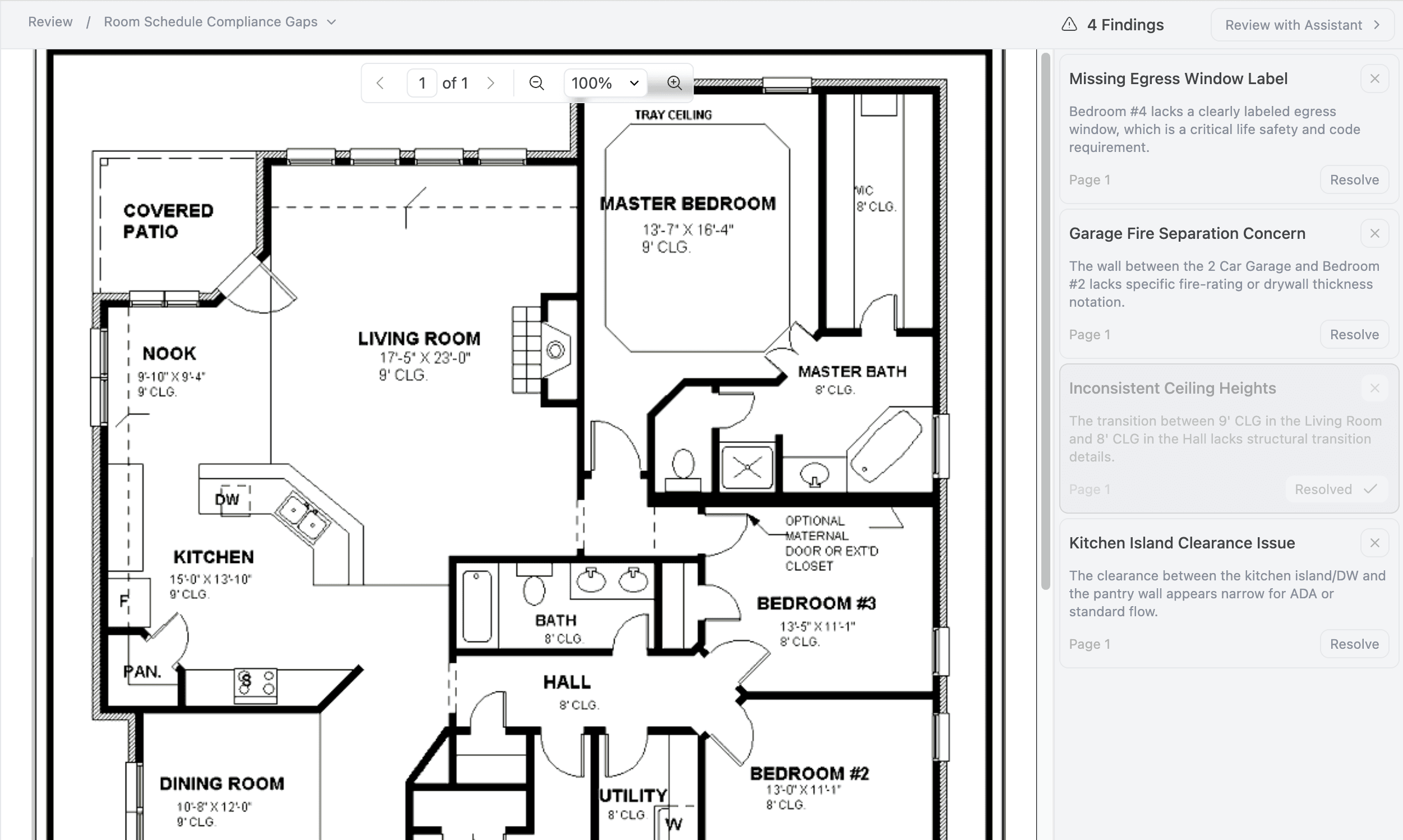
Stepscale Review flags potential issues directly on the architectural floor plan, so teams can jump to the exact sheet to review and resolve issues.
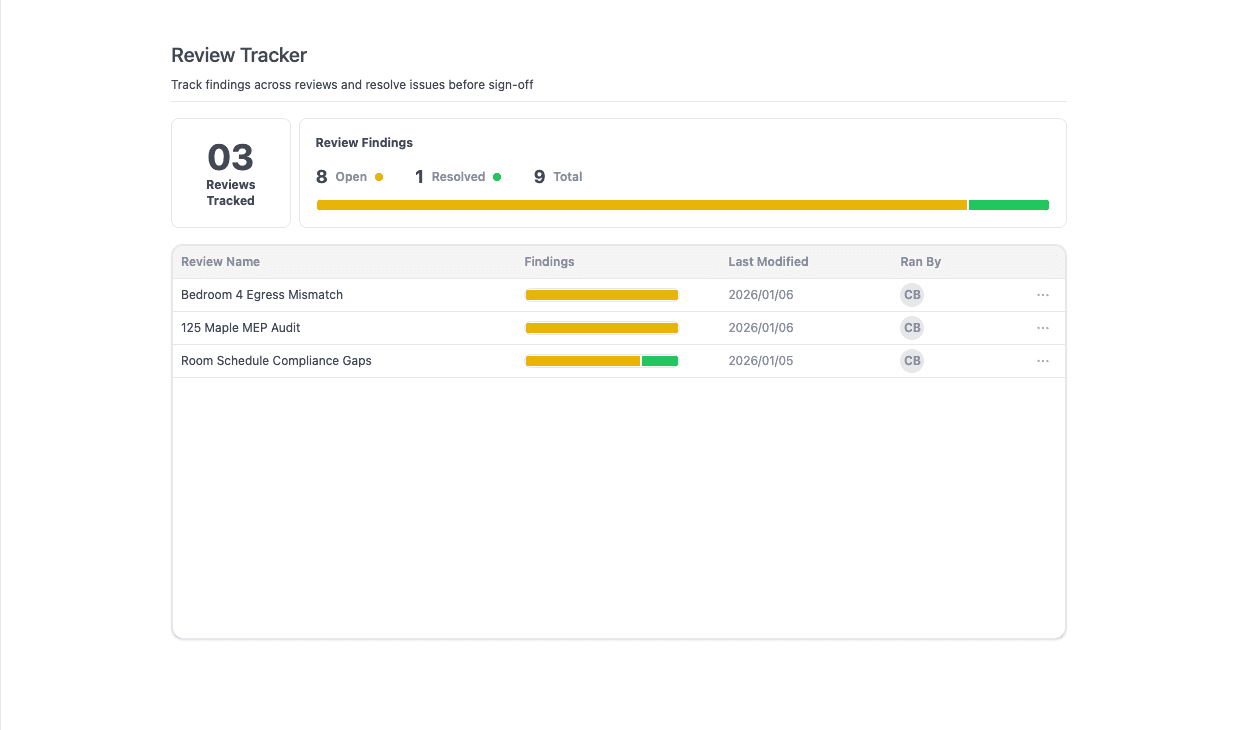
From the Review Tracker dashboard, you can see the full review process across your project: every finding from Reviews, what’s still open, and what’s been resolved as revisions come in.
How it works
1) Upload a file and start a Review
When you add a new file to a Review, Stepscale suggests three review workflows based on the document type. If you want to check for something specific, you can also add custom instructions.
2) Get clear, source-tied findings
Once the review is complete, Stepscale flags a list of findings and ties each one back to the exact page and source it came from, so you can jump straight to the right spot in a 200-page report or drawing set.
3) Clear what doesn’t apply and close what’s resolved
Dismiss findings as needed, and mark issues as resolved once they’re addressed.
4) Track what’s still open through revisions
Any findings that aren’t cleared are automatically added to the project Tracker, so nothing gets lost between internal review, consultant revisions, and re-submission.
Why it matters
Reduce rework and delays caused by missed details across drawings, reports, and submissions
Cut back-and-forth with consultants and partners with clear, page-based findings
Get a detailed final check before you hit send or release funds
See it on a real deliverable
If you’d like to see how Reviews + Tracker fit into your development workflow, book a demo with our team.